


Generated, Edited, or Documentary? A Practical Visual Verification Routine for News and Public Communications
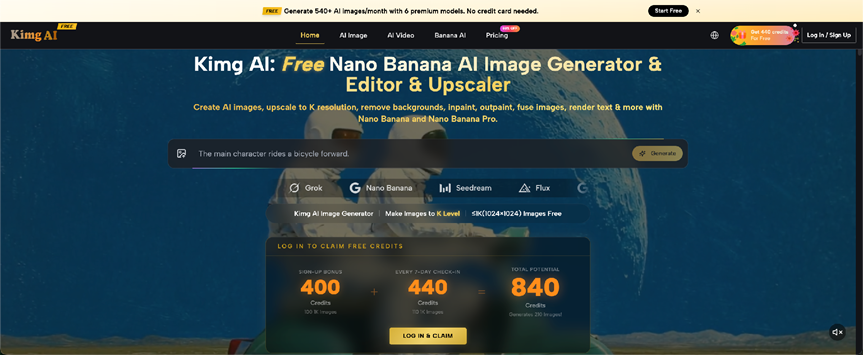
A convincing image can travel farther than the explanation attached to it. That creates a problem for newsrooms, public relations teams, NGOs, institutions, and businesses: a visual may be generated for illustration, edited from a real source, or captured as documentary photography, yet audiences can see all three in one feed. Tools such as Kimg AI make visual generation and reference-based editing accessible, which makes internal handling more important. The useful question is not whether AI visuals should exist. It is whether viewers can understand what kind of image they are looking at and what claims it can reasonably support.
Classify the Image Before Writing the Caption
The easiest time to prevent confusion is before publication.
Give every visual one internal label: documentary, edited documentary, generated illustration, or conceptual composite. The public label can use different wording, but the caption writer should know which category applies.
Documentary means the image records a real scene. Edited documentary means the scene is real but the file has been altered beyond routine presentation changes in a way that matters to interpretation. Generated illustration means the scene itself was created rather than photographed. A conceptual composite combines sources or constructed elements to communicate an idea.
A generated illustration of a future factory should not be captioned like a photograph of an existing facility. A reconstructed product scene should not imply that the pictured event occurred. The internal category keeps the public description accurate.
Three Questions Should Follow Every AI-Assisted Visual
Before an image leaves the desk, the editor or communications owner should be able to answer three short questions.
1. What Part of This Image Comes From Reality?
Identify the source material. Was there an original photograph? Is the person real? Is the product copied from an actual reference? Is the location based on a real place or completely generated?
AI-assisted images often mix authentic and synthetic elements. A real product may sit inside an invented store, while a genuine portrait may appear against a generated background. Knowing which elements came from reality prevents broader claims than the source supports.
2. What Was Changed or Invented?
Record the meaningful transformation. Background replaced? Object removed? Lighting changed? New people added? Entire image generated from text?
Focus on edits that could affect what a viewer believes happened. An expanded crowd, rewritten sign, repaired object, or replaced location deserves special attention.
A short internal note is enough to stop the next person in the publishing chain from mistaking a constructed scene for a straightforward photograph.
3. Could the Audience Mistake It for Evidence?
Ask what a reasonable viewer might infer without reading every word around the picture.
An illustration of flooding, a protest, a hospital, a crime scene, or a public figure can look documentary even when it was created only to represent a topic. The more news-like the image appears, the greater the need for a clear label or caption.
If an image could be mistaken for a record of a real event, make its illustrative role obvious before publication.
Reference-Based Editing Needs Its Own Review
Reference-based editing creates a special challenge because much of the final image may still be real.
A tool such as Nano Banana AI can work from an existing image and follow prompt-based editing instructions. That is useful when a communications team needs a conceptual variation, but it also means the output may retain enough authentic detail to look like an untouched photograph.
Suppose an organization starts with a genuine spokesperson photo and replaces the office background for a campaign graphic. The person is real, while the setting is not. Reposted elsewhere, the image may be mistaken for a real location.
Keep the original file, the edited version, and a note describing the change. If the edit affects the factual meaning of the scene, the caption should not hide that fact.
Use Captions to Clarify, Not to Rescue
Do not create a misleading image first and then try to rescue it with a tiny disclaimer.
A better approach is to choose a visual that can be described honestly in a normal caption. “AI-generated illustration of a proposed mobility concept” is clear. “Concept image showing how the service could appear in a retail setting” is also clear. These captions tell the audience what the image is doing.
Avoid wording that implies documentary certainty when the image is conceptual. Words such as “shows,” “at,” “during,” or “after” can create a factual relationship between the image and an event. Use them only when that relationship is real.
If a disclosure is necessary to understand the image, do not bury it at the bottom of an article or inside metadata. Keep the explanation close to the visual.
Build a Simple Visual Chain of Custody
Newsrooms already manage source material, photo credits, captions, and publication records. AI-assisted visuals benefit from a similarly simple trail.
For each important image, keep:
- the original source file or prompt;
- the generated or edited output;
- the person who requested the change;
- a short description of the change;
- the approved caption or disclosure;
- the final published version.
If a visual is questioned later, the team can quickly see how it was made and described at publication.
The same habit helps public relations teams because press-release images may travel without the full original article. Clear captions and asset names reduce downstream confusion.
Know Which Subjects Require Extra Caution
Not every generated image carries the same risk. An abstract illustration for a software feature is different from a realistic image of a disaster, election rally, medical treatment, criminal allegation, or identifiable person.
Extra caution is sensible when the visual concerns events that audiences expect photography to document. The same applies when an image could affect someone's reputation or create a false impression of endorsement, attendance, injury, misconduct, or official action.
In those cases, ask whether a generated visual is necessary. A diagram, map, archival image with proper context, or clearly stylized illustration may communicate the topic without pretending to document an event.
If a generated visual is still the best editorial choice, make the construction unmistakable. Clarity is more valuable than realism when realism could confuse the factual record.
Verification Should Continue After Publication
Visual responsibility does not end when the article or post goes live.
Check social previews, syndication feeds, messaging apps, and reposts. A disclosure visible on the original page may disappear when only the image and headline are shared.
For important or sensitive material, preview the share card before publication. If necessary, build the disclosure into the image treatment or choose a less documentary-looking illustration.
If an edited image was described inaccurately, update the caption and asset where possible and keep a correction record.
The goal is not to eliminate all synthetic media. It is to keep the relationship between image and claim understandable as the asset moves across platforms.
Conclusion
Generated and edited visuals can support news, education, marketing, and public communication, but they should not blur the line between illustration and evidence. Classify the image, record what came from reality, note what changed, and ask whether viewers could mistake the result for a real event. Then write a caption that remains clear even outside the original page. For the next AI-assisted visual your team publishes, create a four-line source note before writing the headline. That small record can prevent much larger confusion later.


